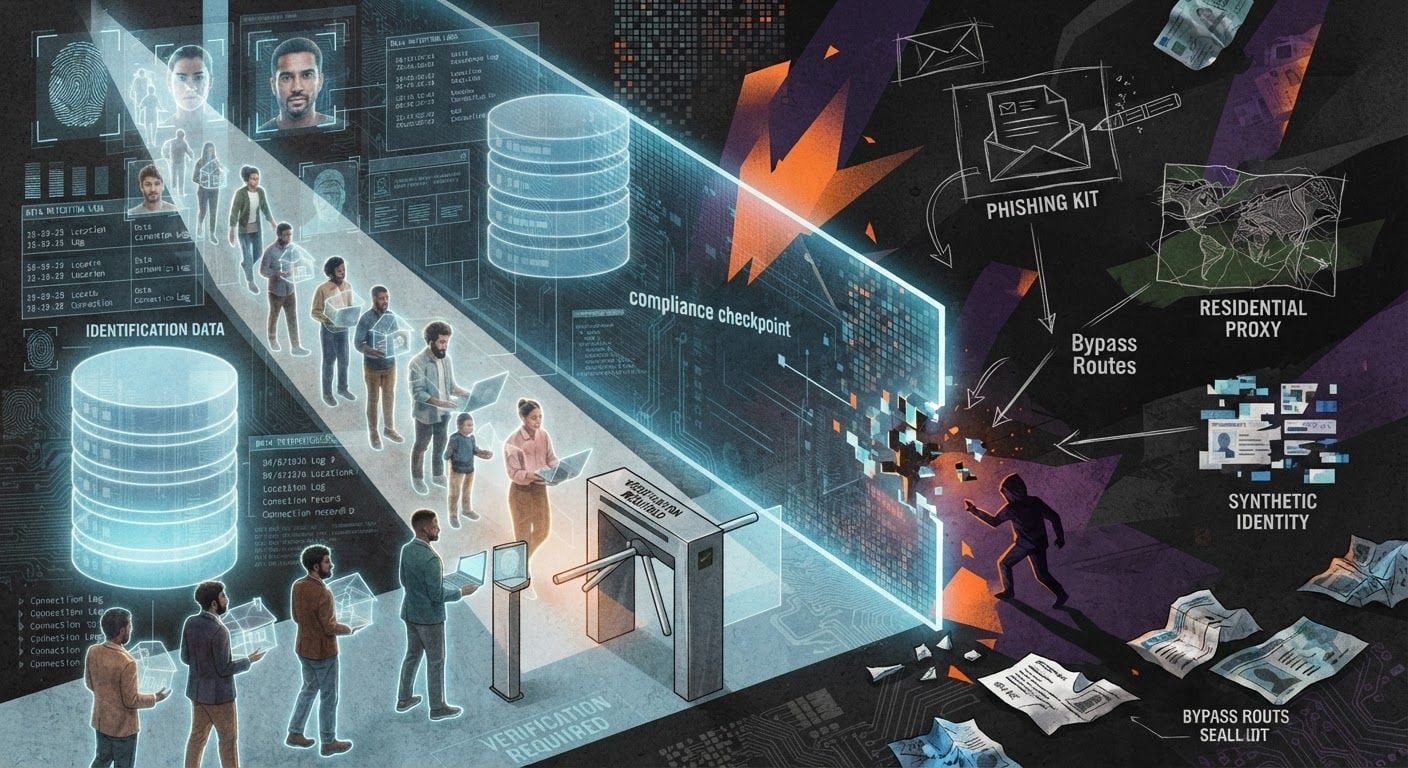

When Your VPN Gets Blocked, Own the Server Instead
A VPN can work perfectly for six months and then disappear before lunch.
The app still opens. Your subscription is still active. The status page insists everything is operational. Yet every server times out, the provider’s website no longer loads, and downloading a new configuration requires the connection you are trying to repair.
Nothing necessarily broke at the VPN company.
The network simply learned what to block.
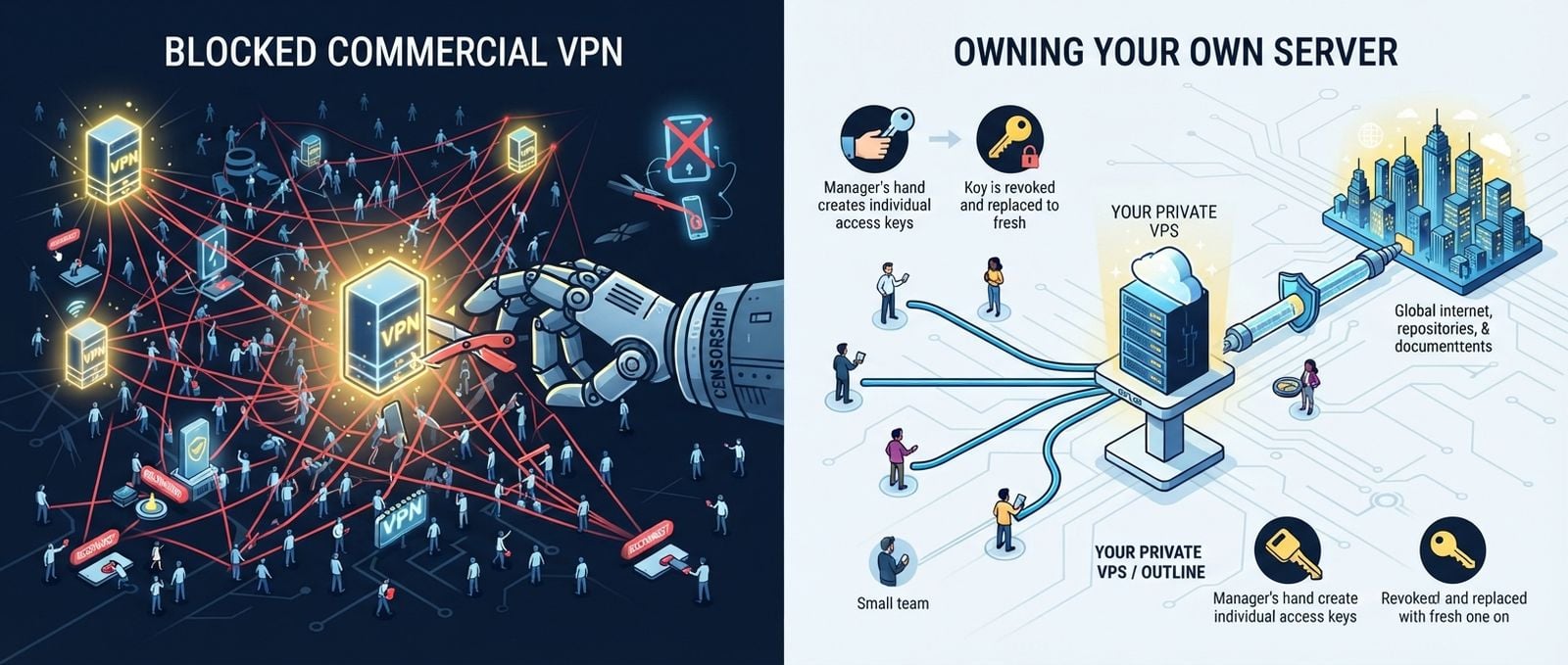
This is the part commercial VPN advertising tends to skip. Encryption protects the contents of a connection, but it does not make the infrastructure invisible. A censor can block known server IP addresses, interfere with DNS, reset suspicious connections, identify protocol fingerprints, or use deep packet inspection to classify traffic without decrypting it.
When thousands of people connect to the same commercial VPN infrastructure, blocking it becomes a scale problem. The provider adds servers. The censor identifies them. The provider rotates addresses. The censor catches up.
Users sit in the middle pressing “Reconnect.”
GetOutline takes a different approach. Instead of selling access to a giant shared VPN network, Outline gives you software for deploying and managing your own encrypted proxy server.
That architectural difference is more interesting than the product itself.
The real argument for Outline is not that it has found magical, unblockable networking. It has not. The argument is that controlling a small piece of infrastructure can be more resilient, understandable, and adaptable than depending entirely on a commercial provider whose public network is already on somebody’s blocklist.
Sometimes the best VPN alternative is not another VPN company.
Sometimes it is one server you control.
The commercial VPN model has a concentration problem
A conventional consumer VPN service operates a fleet of gateways. Customers choose a country or city, and the application connects them to one of those shared endpoints.
That model is convenient:
The provider maintains the servers.
The application handles configuration.
Users can switch locations.
Support staff deal with failures.
The subscription generally includes bandwidth.
It also produces obvious targets.
A popular provider has domains, applications, API endpoints, authentication systems, payment infrastructure, and thousands of server IP addresses. Researchers, hosting companies, streaming platforms, and governments can collect those addresses. Once identified, an IP can be blocked regardless of how strong the tunnel encryption is.
The censor does not need to break the cryptography.
It can block the road.
Domain blocking can prevent the application from downloading server lists. DNS manipulation can make management infrastructure unreachable. IP blocking can kill known gateways. Protocol filtering can disrupt WireGuard, OpenVPN, IKEv2, or another recognizable tunnel. Active probing can send specially constructed traffic to a suspected proxy and classify the response.
Deep packet inspection makes this more precise. DPI systems inspect packet sizes, timing, headers, handshakes, and other observable properties. Encryption hides payloads, but metadata and protocol behavior can remain useful.
This creates a fundamental asymmetry.
A commercial provider must keep a large, public service available to many users. A blocking system only needs to identify the provider’s shared infrastructure quickly enough to make the service unreliable.
A private server has a different profile. It may have one IP address, a handful of users, no public server directory, and no recognizable commercial VPN domain pointing to it.
That does not make it invisible.
It makes it a smaller target.
What GetOutline actually is
Outline is an open-source system created by Jigsaw, a technology incubator within Google. It consists primarily of three pieces:
Outline Manager, used to deploy and administer servers
Outline Server, which runs on infrastructure you control
Outline Client, which connects user devices through that server
The important word is “your.”
Outline does not provide a global network of exit locations as part of the software. You supply the server, usually a small virtual private server from a cloud or hosting provider. Outline installs its server components there, and you create access keys for the people or devices that should connect.
At a simplified level, the path looks like this:
flowchart LR
    A[Developer device] -->|Encrypted proxy connection| B[Outline Server]
    B -->|Normal internet traffic| C[Documentation, APIs, repositories]
    D[Outline Manager] -->|Create and revoke access keys| B
Outline is often called Outline VPN, but technically it is built around Shadowsocks, an encrypted proxy protocol designed to carry TCP and UDP traffic through restrictive networks. The client integrates with the operating system so that, from the user’s perspective, it behaves much like a VPN.
That distinction matters.
Outline is excellent for tunneling outbound internet traffic through a server. It is not automatically a replacement for every corporate VPN use case. If you need site-to-site routing, direct access to private subnets, device posture checks, Active Directory integration, or a zero-trust application gateway, Outline is not pretending to be that platform.
It solves a narrower problem:
Give approved clients an encrypted path to the internet through an individually controlled server.
Narrow tools are often better tools.
Why the architecture matters when VPNs are blocked
Suppose a developer in Russia needs dependable access to international documentation, package repositories, source-control services, and APIs.
A large commercial VPN might work. It may even work extremely well.
Then its domain is blocked, its servers are added to an IP denylist, or traffic matching one of its protocols begins failing. The developer can switch providers, manually import another configuration, or play the usual game of rotating endpoints.
With Outline, the developer can deploy a server in another jurisdiction and distribute its access key privately. The server IP is not shared with thousands of unrelated subscribers. It is not necessarily published in a provider-wide directory. The administrator decides when to replace it and which users receive access.
That changes the operational relationship.
With a commercial VPN, you are renting access to somebody else’s network.
With Outline, you are operating a small network service.
The second option requires more work, but it also gives you useful control:
You choose the hosting provider and server region.
You control who receives access.
You can revoke individual access keys.
You can replace compromised keys without rebuilding every client.
You decide when to move the server.
You can create separate servers for different teams or regions.
You are not waiting for a VPN company to add another endpoint.
This is not decentralization in some grand ideological sense. Your server still runs in a data center, uses an upstream provider, and has one or more blockable IP addresses.
It is simply less centralized than putting every user behind a famous commercial VPN fleet.
That is enough to matter.
Access keys are simple, and that is both good and dangerous
Outline uses access keys to authorize clients.
An administrator creates a key in Outline Manager and shares it with a user. The user imports that key into Outline Client. The key contains the connection information and credentials required to use the server.
There is no need to create a traditional user account inside the client, coordinate certificates manually, or ask every user to edit a configuration file.
For a small engineering team, that is refreshingly practical.
Create one key per person or device. Name it clearly. Revoke it when it is no longer needed. Where supported by the server configuration, administrators can also apply data-transfer limits to individual keys.
Do not share one key with the entire company.
An Outline access key is a bearer credential. Anyone possessing it can use the server until the key is revoked or otherwise restricted. Sending it into a public chat, committing it to Git, or pasting it into a ticket visible to contractors is effectively publishing a password.
A sensible operating pattern looks like this:
Create a separate key for each user or managed device.
Send keys through an appropriately secure channel.
Record the owner and purpose of every key.
Revoke access immediately when somebody leaves.
Rotate a key if it may have leaked.
Avoid placing keys in shell history, source repositories, or screenshots.
Monitor bandwidth for unexpected use.
Outline reduces access administration to something understandable. It does not eliminate credential management.
Running your own Outline server
The easiest deployment path is Outline Manager. It can provision supported cloud infrastructure or guide you through installation on a compatible Linux server.
For a manual deployment, the general process is:
Rent a VPS with a public IP address.
Install a supported Linux distribution.
Apply operating-system updates.
Install Docker if the selected deployment path requires it.
Follow the official Outline server installation flow.
Add the resulting server configuration to Outline Manager.
Create individual access keys.
Import those keys into Outline Client.
I am deliberately not reproducing a copied installation command here.
Server bootstrap commands change. Curling an outdated installer into a privileged shell because a two-year-old blog post said so is not good infrastructure management. Use the current command from the official Outline documentation and inspect what it is doing before running it.
The server itself does not require an elaborate cloud architecture. This is not a Kubernetes-shaped problem.
For a personal server or small team, a modest VPS is normally the sensible starting point. CPU requirements depend on traffic volume, concurrency, and the selected cryptographic operations, while bandwidth and network quality usually matter more than storage.
Choose the server location based on actual requirements:
Latency from the users’ networks
Reachability from the restricted region
Access to the services users need
Hosting-provider policies
Bandwidth allowance
Legal jurisdiction
Abuse handling
Whether the provider’s address ranges are already heavily filtered
The closest region is not always the best region. A geographically nearby data center may have poor routing or aggressive blocking. A slightly more distant server with stable peering can perform better.
Measure it.
Networking punishes assumptions.
What does an Outline server actually cost?
The Outline software is open source and does not require a software subscription. The recurring cost is the infrastructure.
At the time of writing, DigitalOcean lists entry-level Basic Droplets beginning at roughly USD 4 per month. A configuration with more memory and transfer allowance costs more. Other VPS providers offer similarly small instances at different prices, regions, and bandwidth limits.
A realistic personal deployment may therefore cost somewhere around USD 4 to USD 10 per month, depending on the provider and region.
The server price is only the beginning of the calculation.
Look at:
Included outbound transfer
Overage charges
IPv4 fees
Taxes
Backup costs
Snapshot storage
Regional pricing
Traffic limits imposed by the provider
The cost of replacing an unusable server
For one user, self-hosting may cost about the same as a commercial VPN subscription. For a small team sharing one appropriately sized server, the economics can be attractive. For heavy traffic, the commercial VPN may be cheaper because the provider spreads infrastructure costs across a large customer base.
There is no universal price winner.
Outline gives you control, not free bandwidth.
Russia: a private endpoint changes the blocking equation
Russia has progressively expanded technical and legal restrictions on circumvention tools. The environment includes blocked VPN websites, blocked services, interference with widely used tunneling protocols, and centralized filtering through the country’s telecommunications infrastructure.
The exact experience varies by ISP, mobile operator, location, protocol, and time. One connection can work while another fails. A VPN being functional yesterday proves very little about tomorrow.
Outline is relevant because a privately deployed server does not automatically inherit the entire public footprint of a commercial VPN company. Blocking one well-known provider can affect a large number of its customers. Blocking one personal Outline server affects the few people using that address.
That improves resilience through target fragmentation.
It does not guarantee access.
A Russian ISP or filtering system can still block the VPS address. Hosting-provider ranges can be restricted. Traffic characteristics may be classified. The server’s port can be filtered. Distribution of the client, documentation, or access keys can also be disrupted.
The practical advantage is recoverability. If a server becomes unreachable, the administrator can deploy another one, distribute new access, and choose different infrastructure without waiting for a commercial provider’s support team.
That is operational independence, not immunity.
China: Shadowsocks is useful, but the Great Firewall is not stupid
Any discussion of Outline VPN in China needs to avoid fantasy.
China’s Great Firewall has years of experience with circumvention traffic. Research has documented DNS manipulation, IP blocking, connection interference, traffic classification, and active probing of suspected proxy servers. Shadowsocks deployments have been detected and blocked under some configurations.
Outline’s use of Shadowsocks makes it relevant to restrictive networks, but “uses Shadowsocks” does not mean “works forever in China.”
Protocol design, server implementation, traffic patterns, endpoint reputation, and current filtering behavior all matter. A server that works on one Chinese network may fail on another. A configuration that survives today may become detectable after filtering systems change.
Modern Outline tooling also supports more advanced connection configurations, including dynamic access keys and transport-related options exposed by the broader Outline platform. Dynamic keys can let an administrator update connection information through a remotely hosted configuration rather than manually issuing a completely new static key to every user.
That is operationally useful when infrastructure changes.
It is not an invisibility cloak.
A developer in China who depends on access to repositories, documentation, package registries, or external APIs should treat connectivity as production infrastructure:
Maintain more than one access path.
Avoid depending on a single cloud provider.
Test from the networks users actually use.
Prepare replacement infrastructure before it is urgently needed.
Keep clients and keys available through permitted, secure channels.
Assume that an endpoint may eventually stop working.
The Great Firewall is an adaptive system. Your deployment strategy should be adaptive too.
Encryption is not anonymity
This distinction gets mangled constantly.
Outline encrypts traffic between the client and the Outline server. A local network operator can see that the device is communicating with the server, but it should not be able to read the proxied payload simply by observing that link.
Once traffic leaves the server, normal internet security rules apply. HTTPS remains essential. The destination service sees the server’s public IP address rather than the client’s original address, but it can still identify users through logins, cookies, browser fingerprints, application telemetry, and account activity.
The hosting provider may know who rented the server. Payment records may identify the administrator. The provider can observe metadata associated with the instance. The server itself is a point of trust.
Self-hosting does not make you anonymous.
In some situations, a shared commercial VPN provides a larger anonymity set because many unrelated customers appear behind the same exit address. A personal server may be used only by you, making its traffic easier to associate with your activity once ownership is established.
Outline is better understood as a private encrypted proxy and censorship-resilience tool.
It is not Tor.
It is not a guarantee of anonymity.
It is not protection from compromised endpoints, malicious browser extensions, account tracking, or bad operational security.
Owning the server moves the trust boundary. It does not remove it.
The security work becomes your work
Control is wonderful right up until the operating system needs patching at 2:00 a.m.
When you run your own VPN infrastructure, you become responsible for it. That includes the cloud account, administrator credentials, SSH access, server updates, exposed services, firewall rules, access keys, and incident response.
At minimum:
Use phishing-resistant multifactor authentication on the hosting account.
Prefer SSH keys over password authentication.
Disable unnecessary services.
Keep the host and Outline components updated.
Restrict administrative access where practical.
Review provider alerts and bandwidth usage.
Remove abandoned servers.
Revoke old access keys.
Protect the Outline Manager configuration.
Maintain a documented recovery process.
Do not turn the server into a general-purpose junk drawer.
The more unrelated software you install, the larger the attack surface becomes. A personal proxy server does not also need to host WordPress, an experimental database, three forgotten containers, and a development dashboard with default credentials.
Boring infrastructure is easier to reason about.
That is a security feature.
Where Outline fits, and where it does not
Outline makes the most sense when you need:
A personal VPN-like server under your control
An encrypted outbound connection on untrusted networks
A small private endpoint that is not part of a public VPN fleet
Simple key-based access for individuals or small teams
The ability to replace infrastructure independently
A practical alternative when commercial VPN endpoints are unreliable
It is less suitable when you need:
Enterprise identity integration
Site-to-site networking
Fine-grained access to multiple private subnets
Device compliance enforcement
Centralized audit and security analytics
Guaranteed availability in an adversarial network
An anonymity network
Dozens of exit countries available instantly
A service somebody else maintains completely
The small-team scalability is primarily administrative, not magical. Creating a few individual access keys is easy. Managing hundreds of users, formal onboarding, compliance logging, geographic redundancy, and round-the-clock support is a different job.
At that point, you are building a service.
The strongest feature is the one nobody can market honestly
The most valuable thing about Outline is not that it is “unblockable.”
Nothing with a reachable IP address deserves that label.
Its real strength is that the failure is yours to understand and repair.
If a commercial VPN stops working, you are waiting for the provider to rotate servers, modify its application, or explain what happened. If your Outline server stops working, you can test the route, inspect the host, replace the IP, change providers, issue new access, or run parallel infrastructure.
That responsibility is inconvenient.
It is also power.
Developers already apply this principle elsewhere. We self-host critical tools when control matters. We keep backups because platforms disappear. We avoid single points of failure when availability matters. We choose understandable systems because debugging opaque dependencies during an outage is miserable.
Network access should not be exempt from the same thinking.
GetOutline is not the perfect replacement for every conventional VPN service. It will not defeat every censorship system, hide every identifying signal, or absolve anyone from server maintenance. In some situations, a reputable commercial VPN is easier and entirely sufficient.
But when the network is actively hostile and popular VPN infrastructure keeps getting blocked, architecture matters more than the logo on the app.
A small server, a private set of access keys, and an administrator who can move quickly may be more useful than another subscription to the same centralized model.
That is why Outline is worth exploring.
Not because it promises an impossible connection that can never be blocked.
Because it gives you something commercial VPNs rarely do: control over what happens next.