
Windows Is Getting More Hostile, and Linux Still Isn’t Good Enough. How Are These Our Choices in 2026?
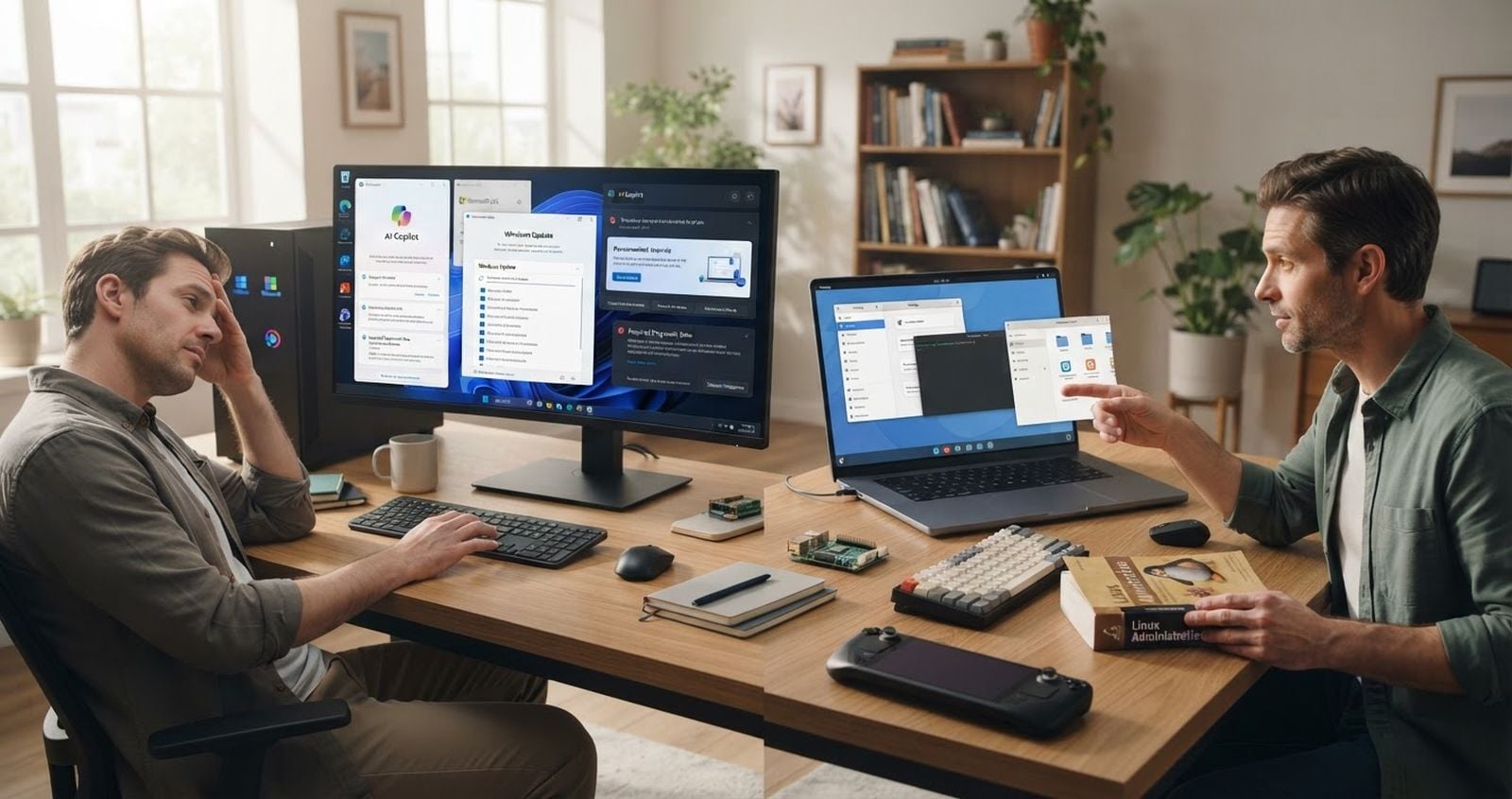
It’s 2026, Windows 10 is out of support, Microsoft wants every Windows PC to be an AI PC, and desktop Linux is still waiting for its big moment.
How the hell are we still here?
Windows is becoming increasingly difficult to tolerate. It wants an internet connection during setup. It wants a Microsoft account. It collects required diagnostic data. Depending on your settings, it can show personalized tips, recommendations, app suggestions, and ads. Microsoft is openly pushing Copilot into the center of Windows and adding AI actions to parts of the operating system that worked perfectly well before somebody decided every right-click menu needed a language model.
This should be Linux’s easiest win ever.
Microsoft is practically standing at the edge of the desktop market, waving users toward the exit. Yet most of them still aren’t moving to Linux.
The usual explanation is that people are lazy, uninformed, scared of change, or trapped by Microsoft’s monopoly. There’s some truth in all of that, but it’s also a comforting story for Linux enthusiasts because it avoids the more unpleasant explanation.
Linux still isn’t a convincing general-purpose desktop product.
It’s a collection of impressive technologies, strong communities, good operating systems, incompatible opinions, duplicated infrastructure, unfinished transitions, and technically valid excuses.
That’s not the same thing as being a good Windows replacement.
Windows no longer seems satisfied with being an operating system
I don’t need Windows to predict what I’m doing. I don’t need it to summarize files from the context menu, offer personalized recommendations, promote services, or turn the Settings app into a conversation.
I need it to launch applications, manage files, support hardware, stay secure, and get out of the way.
Microsoft clearly has a different idea.
The company has described Copilot as the center of a new generation of Windows experiences. It wants natural-language interaction, software that can see what’s on your screen, and agents that can take actions on your behalf.
Some people will want that. Fine. Make it optional, removable, and quiet.
The problem is that modern Windows has developed a habit of treating the operating system as an ongoing opportunity to promote Microsoft’s broader business. OneDrive gets pushed. Microsoft 365 gets pushed. Edge gets pushed. Copilot gets pushed. Device usage settings can lead to personalized ads and recommendations. Suggested content appears in system interfaces. A Microsoft account is increasingly treated as part of the basic Windows experience rather than an optional service.
Even installing the operating system on a personal PC now comes with the assumption that the machine should immediately join Microsoft’s cloud.
Windows 11 Home and Windows 11 Pro for personal use officially require an internet connection and Microsoft account during initial setup. Yes, workarounds have existed. That’s not the point. An operating system shouldn’t make users search for bypasses just to create a local account on a computer they own.
Recall is another good example of why this conversation becomes messy.
To be accurate, Recall’s snapshot saving is opt-in, not enabled by default. Microsoft says the snapshots stay local, are encrypted, require Windows Hello authentication, and can be deleted. Recall can also be removed through Windows Features.
Those safeguards matter. Pretending Recall secretly records everybody by default would be dishonest.
But Recall still demonstrates Microsoft’s direction. The company looked at the desktop and decided one of the things it needed was a searchable database of periodically captured screen activity. Even with local processing and encryption, plenty of users reasonably don’t want that capability sitting anywhere near their operating system.
The concern isn’t just one feature. It’s the accumulation of features and the constant renegotiation of what Windows is allowed to do.
Every major update seems to produce another checklist:
Turn off this recommendation.
Disable that suggestion.
Remove this taskbar button.
Check whether a privacy setting changed.
Prevent some bundled app from launching.
Decline another cloud integration.
Find out whether the latest AI feature is enabled, opt-in, pinned, installed, or merely waiting to be promoted.
The defenders of each individual feature can usually explain how to disable it. That misses the point. Users shouldn’t need a Windows decontamination procedure after installing Windows.
Microsoft is consuming trust faster than it’s adding useful desktop functionality.
Linux’s strongest defense is also its weakest excuse
When someone criticizes desktop Linux, the immediate response is often some version of this:
That isn’t a Linux problem. That’s a problem with your distribution, desktop environment, compositor, kernel version, graphics driver, package format, application build, firmware, or unsupported hardware.
Technically, that response may be correct.
Practically, it’s a confession.
Ordinary users don’t care which layer failed. They clicked a button and the thing didn’t work.
If Bluetooth audio breaks after an update, they don’t want a lecture about PipeWire, WirePlumber, BlueZ, kernel regressions, or the philosophical mistakes made by their distribution’s package maintainers. If screen sharing fails, they don’t care whether the application is running under X11, native Wayland, Xwayland, a Flatpak sandbox, or a portal implementation.
They want screen sharing to work.
The Linux community often treats architectural explanations as if they reduce the severity of the user’s problem. They don’t. Explaining that six independent projects had to cooperate correctly only explains why the bug exists. It doesn’t make the result acceptable.
This is where the famous Linux flexibility becomes a liability.
Linux can be almost anything. The mainstream desktop needs to be one boring, dependable thing.
Fragmentation is freedom for developers and homework for users
There isn’t one Linux desktop platform.
There are distributions based on Debian, Ubuntu, Fedora, Arch, openSUSE, and several other families. There are stable distributions, rolling distributions, immutable distributions, gaming-focused distributions, beginner distributions, and distributions primarily maintained for people who consider manually repairing the bootloader a normal Sunday activity.
Then there are the desktop environments.
GNOME and KDE Plasma are the two obvious major choices, but they have different design philosophies, settings, applications, extension systems, file dialogs, workflows, and release schedules. Other desktops add more options, which is great if choice itself is the goal.
Choice is not always the goal.
People switching from Windows frequently encounter advice that sounds absurd from the outside:
Use Ubuntu, unless you dislike Snap.
Use Fedora, unless you need certain proprietary components immediately.
Use Linux Mint, unless you specifically want the latest Wayland experience.
Use an immutable distribution, unless you need to modify the base system.
Use Arch if you want control, but don’t use Arch if you don’t want maintenance.
Use KDE if you want something Windows-like, but use GNOME if you want the desktop that gets first-class attention from certain distributions.
Use whatever distribution supports your hardware best, which you may discover only after installing it.
Linux enthusiasts see a rich ecosystem. New users see a decision tree that starts before they’ve even downloaded the operating system.
The package situation isn’t much better.
A Linux desktop application might come from:
The distribution’s repository
A third-party repository
A vendor-provided DEB package
A vendor-provided RPM package
Flatpak
Snap
AppImage
A language-specific package manager
A random installation script copied from a website
Source code, because apparently it’s still 1998
Flatpak is probably the best current attempt at creating a cross-distribution desktop application platform. It provides runtimes, sandboxing, repositories, and portals for controlled access to host resources.
That’s real progress.
It also creates another layer with its own permissions, runtimes, application identifiers, update behavior, storage usage, and integration problems. When a Flatpak application can’t see a directory, access a device, load a plugin, or communicate with another process, the user gets to learn about sandbox permissions.
Snap attempts to solve similar distribution problems with confinement and automatic updates. AppImage takes a more portable, self-contained approach. Traditional distribution packages integrate closely with the operating system but tie application availability and versions to the distribution.
Each approach has a reasonable technical argument behind it.
The desktop user still ends up asking a basic question: which version am I supposed to install?
Worse, multiple versions of the same application can appear in the graphical software center. One may be maintained by the distribution, another published on Flathub, and another provided as a Snap. They can have different update schedules, permissions, themes, plugin support, and bugs.
That’s not meaningful choice for most people. It’s ambiguity dumped into the user interface.
Windows software distribution has plenty of problems, but the average user understands the basic model: download the Windows installer or get the application from the Microsoft Store.
On Linux, choosing the wrong package can become the first step in a troubleshooting guide.
Hardware compatibility is good until the hardware matters
Linux hardware support has improved enormously. Plenty of computers run it without drama. AMD and Intel graphics are often straightforward, common chipsets work, and major manufacturers certify many systems for Ubuntu.
That last part is important.
Canonical’s hardware certification process runs hundreds of compatibility-focused tests covering audio, wireless networking, Bluetooth, firmware, USB, power management, and other components. That’s useful, but it also reveals the actual situation: a laptop isn’t compatible just because it boots to a desktop.
Real laptop support includes:
Reliable suspend and resume
Correct battery reporting
Reasonable power consumption
Functional brightness controls
Working external displays
Docking station support
Audio that survives plugging in headphones
A webcam that works in actual applications
Fingerprint reader support
Proper GPU switching
Firmware updates
Working function keys
Stable Wi-Fi after waking from sleep
A computer can technically run Linux while still failing several of those tests.
This distinction gets ignored constantly. Someone says a laptop has Linux support because the installer booted and the trackpad moved. Three days later, they discover suspend drains half the battery, the fingerprint reader is unsupported, and connecting a second monitor changes which GPU is driving the session.
Peripherals have the same problem.
A mouse or keyboard may perform its basic functions under Linux while the manufacturer’s configuration application remains Windows- and macOS-only. Logitech, for example, supports basic operation for many devices on Linux but doesn’t provide Logi Options+ there. Elgato’s official Stream Deck software supports Windows and macOS, not Linux.
Community tools may exist. Some of them are excellent.
That still isn’t equivalent to vendor support.
The phrase “there’s an open-source alternative” often hides several qualifications:
It was reverse-engineered.
It supports only some device models.
Firmware updates still require Windows.
A few advanced features don’t work.
Configuration uses a different interface.
The maintainer is one exhausted person on GitHub.
The next hardware revision may break everything.
Linux users learn to buy Linux-compatible hardware deliberately. Windows users generally buy PC hardware and assume it will work on Windows.
That difference is huge.
An operating system isn’t a mainstream alternative if users need to research the Linux compatibility status of every laptop, dock, mouse, audio interface, RGB controller, printer, scanner, capture card, and fingerprint reader before buying it.
Linux gaming is impressive now, but “impressive” isn’t the same as dependable
Valve deserves a ridiculous amount of credit for Proton.
Proton lets Windows games run on Linux through Wine and a stack of supporting components. SteamOS and the Steam Deck showed that Linux gaming can become a real consumer product when someone controls the hardware, operating system, update process, compatibility tooling, and storefront experience.
That is probably the most important Linux desktop lesson of the last decade.
Users don’t need infinite choice. They need someone to own the whole experience.
Proton has made a large number of Windows games playable on Linux, sometimes with performance close to or even better than Windows. It’s one of the strongest arguments for desktop Linux.
It’s also still a compatibility layer for software primarily built for another operating system.
That matters.
A game can work today and have problems after a launcher update, anti-cheat update, video codec change, or game patch. Valve’s own compatibility system has multiple ratings because “runs on Linux” isn’t a simple yes-or-no question. A title may be verified, playable with manual work, unsupported, or untested.
Anti-cheat remains a particularly frustrating problem.
Proton supports Easy Anti-Cheat and BattlEye, but support often requires the game developer to enable and configure it. Kernel-level anti-cheat systems aren’t supported by Proton. That means the technology can exist while a specific game still refuses to run.
This creates one of the most annoying Linux arguments imaginable:
“Linux supports that anti-cheat.”
“Then why doesn’t my game work?”
“The developer hasn’t enabled support.”
From the user’s perspective, the answer is still that the game doesn’t work.
The same gap appears everywhere on Linux. Something is technically possible, upstream support exists, a patch has landed, a flag can be enabled, and a workaround is documented.
Wonderful.
Can the user click Play?
If the answer is no, the rest is implementation trivia.
For people who mainly play compatible Steam games, Linux can already be excellent. For people whose favorite game uses unsupported anti-cheat, requires a Windows-only launcher, depends on a specific modding tool, or needs poorly supported VR hardware, the recommendation becomes much harder.
“Most of your library should work” is a huge achievement for a compatibility layer.
It’s not the promise ordinary customers expect from their primary gaming PC.
Professional software is where the migration fantasy usually dies
The standard Linux response to missing applications is to recommend alternatives.
No Photoshop? Use GIMP, Krita, or a web application.
No Microsoft Office desktop suite? Use LibreOffice, OnlyOffice, or Microsoft 365 in the browser.
No AutoCAD? Use FreeCAD, another CAD package, a virtual machine, or remote into a Windows computer.
Sometimes that advice is useful. Sometimes it’s completely detached from how professional work happens.
Software isn’t interchangeable just because two applications belong to the same broad category.
A Photoshop workflow may depend on specific plugins, automation, color handling, file compatibility, collaboration, or other Creative Cloud applications. An Excel workflow may depend on macros, Power Query, specialized add-ins, exact formatting, or integration with an organization’s existing systems. An AutoCAD user may need to exchange files and use toolsets dictated by clients, employers, or industry standards.
Adobe’s current Photoshop desktop requirements cover Windows and macOS, not Linux. Microsoft’s desktop Microsoft 365 applications officially target Windows and macOS. Microsoft no longer provides a supported Teams desktop client for Linux. Autodesk explicitly says AutoCAD isn’t available natively on Linux and isn’t supported through Wine.
These aren’t obscure applications used by twelve people in a basement. They’re part of the software infrastructure of entire industries.
Telling users to replace them isn’t an operating-system migration plan. It’s a workflow migration, retraining project, compatibility risk, and sometimes a career-limiting decision.
Developers can underestimate this because our work is unusually portable.
Git, SSH, containers, Kubernetes tools, Node.js, Python, Go, Rust, Java, VS Code, JetBrains IDEs, databases, and browsers generally work well on Linux. In many development workflows, Linux is arguably the best environment available.
But a great developer workstation isn’t automatically a great mainstream desktop.
The person using a browser, terminal, and editor all day has very different requirements from an accountant, architect, video editor, photographer, musician, streamer, mechanical engineer, or employee in a company with Windows-only internal software.
Linux doesn’t get to declare those requirements invalid.
Wayland is the right direction and still another transition users have to absorb
Wayland is intended to replace X11 with a more maintainable and secure display architecture. That transition is necessary. X11 carries decades of design baggage, and desktop Linux can’t preserve every historical behavior forever.
The problem is that the transition has lasted long enough to become its own category of desktop troubleshooting.
Modern Wayland sessions are dramatically better than they were several years ago. Screen sharing, fractional scaling, gaming, graphics tablet support, and NVIDIA compatibility have all improved.
But the Linux desktop still has native Wayland applications, X11 applications running through Xwayland, multiple compositors, different portal implementations, desktop-specific behavior, and graphics-driver-specific limitations.
When something breaks, the user may need to determine:
Whether the application is running through Wayland or Xwayland
Which compositor is involved
Whether the issue is specific to GNOME or KDE
Whether the application came from Flatpak or the distribution
Whether the sandbox has the required portal access
Whether the NVIDIA driver and kernel versions support the necessary synchronization path
Whether switching back to an X11 session is still available
That is not a normal desktop support question.
NVIDIA’s 2026 Linux driver documentation still lists areas where its driver lacks feature parity between X11 and Wayland. It documents limitations involving configuration tools, Xwayland, laptop display multiplexers, color handling, and particular compositor interactions.
This doesn’t mean NVIDIA on Wayland is unusable. It means the transition still has enough sharp edges that hardware, driver, kernel, compositor, and application versions matter.
Again, Linux enthusiasts understand why.
Again, users don’t care why.
The Linux desktop has spent years asking users to tolerate temporary complexity while the ecosystem moves from the old thing to the new thing. At some point, “temporary” starts to look like the permanent operating model.
The culture still confuses repairability with usability
One of Linux’s genuine strengths is that you can inspect and repair the system.
Logs are available. Configuration files can be edited. Services can be restarted. Packages can be downgraded. Kernels can be switched. Drivers can be replaced. Boot parameters can be changed. Broken components can often be fixed without reinstalling the entire operating system.
That’s excellent.
The Linux community sometimes turns this strength into a warped definition of usability.
A problem isn’t considered serious if a knowledgeable user can fix it.
That’s nonsense.
A reliable desktop isn’t one that can be repaired. It’s one that rarely needs repair.
“You can fix it yourself” is useful for developers, administrators, hobbyists, and people who enjoy understanding their systems. It’s not a substitute for quality assurance.
The troubleshooting culture makes this worse.
Linux search results often lead to:
Instructions written for a different distribution
Commands that applied three releases ago
Forum threads that end without a solution
Configuration files that no longer exist
Advice for X11 when the user is running Wayland
Workarounds that disable security features
Suggested commands with no explanation
Arch documentation being applied to Ubuntu because it’s the only detailed documentation available
Someone telling the user to compile the latest version from source
Experienced Linux users mentally filter this material. They recognize obsolete package names, distribution differences, dangerous commands, and outdated architecture.
New users don’t.
Then, when something goes wrong, they’re told Linux requires a willingness to learn.
Of course it does. Every operating system requires learning. But there’s a difference between learning how the system works and being drafted as an unpaid integration engineer.
If Windows is getting worse, why hasn’t Linux won?
Because Windows doesn’t need to be loved. It needs to remain compatible.
That’s the uncomfortable answer.
Windows runs the software people already use. It supports the peripherals they already own. It comes installed on the computers they buy. Their employer supports it. Their games target it. Hardware vendors test against it. Software companies treat it as a primary platform.
Windows can irritate users without immediately losing them because leaving Windows has a cost.
Linux advocates often compare license price and ignore migration cost. Linux is free, but changing operating systems can cost time, application access, game compatibility, hardware functionality, organizational support, and mental energy.
Free isn’t very persuasive when the user’s required software doesn’t run.
Windows also presents a clearer target to developers and hardware companies. There are different editions and versions, but vendors can still say they support Windows 11 and build around a broadly understood platform.
What does it mean for a vendor to support desktop Linux?
Does it support Ubuntu 26.04 LTS? Fedora? Arch? Which kernel versions? Which desktop? Wayland or X11? DEB, RPM, Flatpak, Snap, or AppImage? Which graphics stack? Which sandbox permissions? Who handles bugs caused by distribution patches?
Those questions have answers, but every answer narrows the supposedly universal Linux support.
This is why Linux works best on the desktop when somebody turns it into a product instead of presenting it as an ecosystem.
Valve did that with SteamOS on the Steam Deck. Google did it, in a very different way, with ChromeOS. Companies selling Linux laptops do it by choosing hardware, preinstalling a distribution, and testing the combination.
The common ingredient isn’t openness. It’s ownership of the final experience.
Desktop Linux has many maintainers but no single party responsible for making sure an arbitrary application, on arbitrary hardware, using an arbitrary desktop, works as one coherent product.
That decentralized structure is a major reason Linux is resilient, adaptable, and difficult for one company to control.
It’s also a major reason the desktop experience remains inconsistent.
Linux doesn’t need less choice, but users need a real default
The usual reaction to this criticism is that Linux can’t and shouldn’t become Windows.
I agree.
Linux shouldn’t add advertising, mandatory cloud accounts, invasive telemetry, bundled AI features, or centralized control just to copy Microsoft. It shouldn’t sacrifice user ownership in pursuit of market share.
But avoiding Microsoft’s mistakes doesn’t require preserving every Linux desktop inconvenience as a sacred expression of freedom.
A serious mainstream Linux desktop alternative needs:
A clearly defined reference platform
A default desktop with long-term behavioral stability
One primary application distribution system
Strong compatibility guarantees for packaged applications
OEM hardware with validated suspend, battery, graphics, audio, and peripheral support
A predictable graphics stack
Simple recovery and rollback
Graphical tools for common administrative tasks
Documentation tied to exact supported releases
Commercial application support
A culture that treats workarounds as bugs, not victories
Flatpak can probably be part of that application story. Immutable system designs and atomic updates can reduce the number of ways users accidentally break their installations. Hardware certification can remove uncertainty. Wayland can eventually provide a modern display foundation.
The pieces exist.
The problem is that the Linux desktop often presents the pieces before someone has assembled the product.
A mainstream user shouldn’t need to understand the distinction between the operating system, distribution, desktop environment, display protocol, compositor, application sandbox, package source, portal, graphics driver, and kernel.
Those distinctions should be visible when someone wants to inspect the system, not required just to operate it.
The Linux desktop doesn’t need to eliminate choice for advanced users. It needs to stop forcing that choice onto everyone else.
The desktop market has an alternative problem
Windows still does many important things better than Linux.
That sentence annoys people because it sounds like praise. It isn’t.
Windows benefits from decades of commercial support, vendor attention, backward compatibility, preinstallation, and market dominance. Microsoft is using that position to make decisions that increasingly test how much annoyance users will tolerate before leaving.
Linux offers more ownership, transparency, control, and freedom from Microsoft’s cloud strategy.
Then it asks users to accept inconsistent software distribution, missing professional applications, uncertain peripheral support, fragmented documentation, compatibility layers, desktop-specific behavior, and a community that sometimes responds to usability problems with a tutorial.
macOS is a legitimate alternative for some people, but it requires buying into Apple’s hardware, pricing, ecosystem, and restrictions. It isn’t a general replacement for existing PCs, and it doesn’t solve every gaming, enterprise, or specialist-software problem either.
So we’re stuck.
Windows is increasingly hostile to users who just want a quiet, local, predictable computer. Linux respects those users more, but still demands too much from many of them.
That’s the contradiction desktop Linux needs to face.
The question isn’t whether Linux is technically capable. It obviously is. The question isn’t whether a skilled user can build an excellent Linux workstation. They absolutely can.
The question is whether an ordinary person can install Linux on an ordinary computer, keep using their existing hardware and applications, and go several years without becoming interested in Linux.
That’s the real standard.
A successful mainstream operating system shouldn’t require enthusiasm. It shouldn’t require ideology. It shouldn’t require joining a community, choosing a camp, or learning the architecture.
It should work so consistently that the user forgets about it.
Windows is moving away from that ideal because Microsoft keeps looking for new ways to monetize, integrate, recommend, track, assist, and intervene.
Linux hasn’t reached it because nobody can agree on who gets to define “it.”
One platform abuses its coherence. The other suffers from its absence.
And somehow, in 2026, those are still our choices.
Sources
About the author
- I write about technology, software, AI, apps, gadgets, and the internet. I enjoy exploring how things work, trying out new tools, and sharing what I learn along the way. I’m interested in both the technical side of things and how technology actually fits into everyday life. You’ll find a mix of practical guides, things I discover, opinions, experiments, and whatever tech topic happens to catch my attention. Always curious, always learning, and usually trying something new.
Comments
Join the discussionNo comments yet. Be the first to comment.